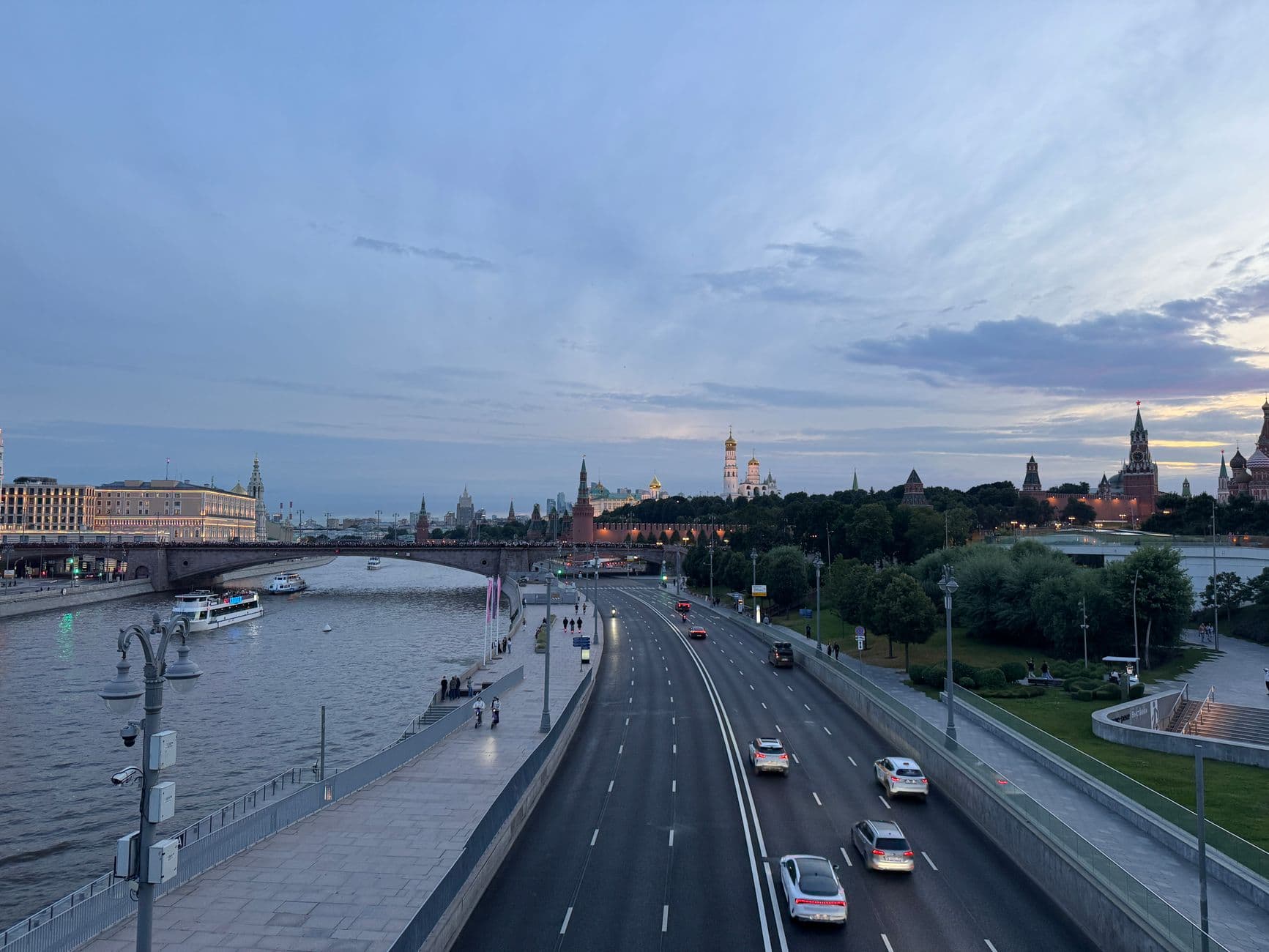
Pred prevzatím bicykla si overte podmienky prenájmu. Pri prenájme sa zamerajte na päť základných parametrov: cena za jazdu, zahrnutá vzdialenosť, povinná bezpečnostná výbava, poistné krytie a časové okno vrátenia. Tieto pokyny vychádzajú z priemernej cesty jazdca a mali by vám pomôcť vyhnúť sa neočakávaným poplatkom, čo vám umožní plánovať s istotou.
Pri výbere z možností porovnajte päť konkrétnych kritérií: cena za jazdu, zahrnutá vzdialenosť, povinná bezpečnostná výbava, krytie škôd a časové okno vrátenia. Tieto parametre usmerňujú rozhodnutia, či už dochádzate cez viacprúdovú chodbu alebo zelený parkový chodník. Uistite sa, že jazdec používa správne karty v systéme, a potvrďte, že je vydaný doklad o prevzatí bicykla a jeho vrátení. Počas porovnávania si prejdite týchto päť kritérií.
Počas špičiek kontaktujte dispečera, ak potrebujete náhradný bicykel; ak sa vyskytol problém, okamžite ho nahláste, aby ste udržali plynulý priebeh jazdy. Aktualizácie vozového parku a upozornenia na zlepšenie zelene často sprevádzajú tieto zmeny.
Praktické pravidlo: po každej jazde skontrolujte stav bicykla, nahláste nezrovnalosti a uistite sa, že je vrátený v rámci stanoveného časového okna. Pri zdieľaných prenájmoch použite kontrolný zoznam s piatimi bodmi a aktualizujte svoje karty v systéme, aby odrážali zmeny stavu vo vašej oblasti.
Dodržiavaním týchto cielených krokov znížite prekvapenia pre cyklistu pohybujúceho sa po rušnej ulici, viacprúdovej trase alebo krátkom zelenom chodníku.
Často kladené otázky o cenách a fakturácii
Začnite s mesačným plánom, ak jazdíte viac ako 10 minút denne; minimalizuje výdavky a udržuje vašu sumu predvídateľnou. Váš plán je prepojený s vaším účtom a je určený na použitie v rezidenčnom a mestskom bikesharingu, či už jazdíte v Londýne alebo Moskve.
Štruktúra cien je trojitá: na základe minút, na základe jazdy s denným limitom a jeden mesačný limit. Sadzba za minútu je 0,25 USD; denný limit je 14 USD; mesačný limit je 45 USD. Neplatí sa žiadny aktivačný poplatok.
Fakturačný cyklus prebieha 1. deň každého mesiaca. Faktúry zobrazujú splatnú sumu a príslušné dane. Spôsoby platby zahŕňajú kreditné/debetné karty, PayPal a prepojené peňaženky. Ak nechcete automatické obnovenie, môžete sa odhlásiť; upozornenia vám budú stále zasielané pred obnovením.
Kredity a úpravy: ak je jazda účtovaná omylom alebo výpadok služby ovplyvní poplatky, automaticky sa vydá kredit a zobrazí sa na nasledujúcom výpise. Úpravy sa spracujú do 3-5 pracovných dní po overení.
Tipy na používanie: udržujte sa pod mesačným limitom plánovaním ciest a efektívnym využívaním minút. Typický vzor ukazuje, že 15 minút na jazdu pre niekoľko ciest môže rýchlo dosiahnuť limit v husto osídlených mestách ako Londýn a Moskva. Pre nových používateľov sú k dispozícii štartovacie balíčky nazývané súpravy na zjednodušenie registrácie.
Podrobnosti o účte: na portáli si môžete pozrieť použité minúty, celkové výdavky a aktuálnu splatnú sumu. Ak chcete prepojiť zariadenia, zadajte номер do poľa s označením číslo zariadenia; tým sa zabezpečí, že poplatky budú spojené so správnym účtom.
Kultúra a prístup: cenový model je navrhnutý tak, aby bol transparentný a vedecký, s jasnými podrobnosťami o výdavkoch a zostal konzistentný v rôznych mestách. Tento záchranný prístup by mal používateľom pomôcť spoľahlivo zostaviť rozpočet a vyhnúť sa prekvapeniam.
Ako zobraziť aktuálne podrobnosti o pláne, ceny a zahrnuté funkcie
Otvorte svoj účet, kliknite na svoj profil a potom na Plány. Panel Aktuálny plán zobrazuje úroveň, bežnú cenu a sumu účtovanú v tomto cykle, spolu so zahrnutými funkciami a limitmi. Zobrazuje tiež dátum nasledujúcej fakturácie a povolené návštevy pre toto obdobie.
Pre konkrétne ceny vyhľadajte blok s označením Ceny, cyklus (mesačný/ročný) a všetky zľavy. Všimnite si sumu, menu a či platí promo akcia. Ak sa mesačná sadzba zhoduje so sumou na vašej poslednej faktúre, ide o priebežné náklady; nesúlad by sa mal preveriť s podporou. Preto si overte akýkoľvek rozdiel a uschovajte si kópiu výpisu.
Zoznam funkcií objasňuje, čo je súčasťou plánu: počet používateľských miest, návštevy za mesiac, úložisko dát a akýkoľvek partnerský prístup (vrátane múzeí). Ak existujú poznámky o blokovaní dokov, vysvetľujú dočasné limity prístupu. Tieto položky ukazujú, čo môžete robiť bez ďalších poplatkov, a pomáhajú vám plánovať počas rušných období.
Ak aktuálna úroveň nezodpovedá vašim cieľom, môžete ju inovovať alebo znížiť. Kliknite na Zmeniť plán, vyberte úroveň, pre ktorú ste sa rozhodli, a potvrďte. Zmena nadobudne účinnosť v dátume nasledujúcej fakturácie; výpis bude odrážať novú sumu a aktualizované zahrnuté funkcie. Pred potvrdením si preštudujte vplyv na vaše mesačné výdavky, najmä ak máte prebiehajúce návštevy alebo tímy pracujúce v Londýne.
Aby ste sa vyhli preplateniu, preštudujte si zistenia z posledného výpisu: porovnajte sumu s vaším používaním počas štvrtého štvrťroka. Ak existujú obrovské alebo drahé doplnky, odstráňte ich alebo prejdite na plán s vyššími limitmi. Kumov a jeho poradcovia vám môžu pomôcť interpretovať čísla a navrhnúť lepšie riešenie.
Tip: veďte si jednoduchý záznam o veciach, ktoré používate najviac - o veciach, ktoré sú dôležité pre vaše ciele. Uľahčí vám to rozhodovanie, či vám aktuálny plán vyhovuje, alebo potrebujete niečo na inej úrovni. Ak si nie ste istí, kontaktujte nás s ID vášho účtu a krátkym popisom vašej situácie; tím vám odpovie s konkrétnymi možnosťami.
Aké spôsoby platby akceptujete a ako je zabezpečená platba
Použite Visa, MasterCard, American Express, Discover alebo digitálnu peňaženku (Apple Pay, Google Pay) pre najrýchlejšiu a najbezpečnejšiu platbu. Karty a peňaženky používajú tokenizáciu, potom systém zobrazí celkovú sumu a konečnú splatnú sumu predtým, ako stlačíte potvrdiť. Funguje to dobre pre bežné nákupy a pre viacdňové objednávky, čím sa zabezpečí plynulý a rýchly priebeh.
Zabezpečenie: platba je chránená šifrovaním TLS a spracovaním v súlade s PCI-DSS. Schéma podporuje 3D Secure, keď je k dispozícii, a tokenizácia zabraňuje ukladaniu úplných čísel kariet na našej strane. Zistenia z priebežného monitorovania odhaľujú podozrivé aktivity; upravujeme v reálnom čase, aby sme udržali proces v bezpečí. Údaje sa nikdy neukladajú v čistej forme na našich serveroch a prepojenie medzi vaším zariadením a procesorom zostáva izolované v rámci schváleného kanála.
Pri platbe uvádzame jasný rozpis; položky, dane, doručenie a zľavy sa zobrazujú ako prezentovaný konečný súčet. Ak používate telefón, môžete potvrdiť pomocou biometrie pre dodatočnú ochranu; pre veľké objednávky je možné spustiť dodatočnú kontrolu do hodiny. Celkový priebeh je navrhnutý tak, aby vám poskytol istotu a minimalizoval prekvapenia, a potom vás prevedie ďalšími krokmi na dokončenie nákupu.
Podpora je k dispozícii v našom centre v blízkosti Tverskej. Tím môžete kontaktovať telefonicky; prevádzkové hodiny sú zverejnené na stránke. V prípade, že potrebujete rýchle doladenie rezervácií velobicyklov alebo aktivít v centre, usmernenie inšpirované Bulgakovom a vizuály inšpirované Giršinou vám pomôžu rýchlo nájsť relevantné polia, vďaka čomu je situácia ľahko zvládnuteľná. Zistenia z tejto služby ukazujú vysokú mieru spokojnosti medzi hipster klientmi a bežnými zákazníkmi.
Na dosiahnutie pokoja mysle poskytujeme kompletný bezpečnostný balík: žiadne údaje o karte sa neukladajú na našich serveroch, tokenizácia prepojuje vaše platobné údaje s procesorom a pravidelné audity overujú proces. Keď dokončíte transakciu, dostanete úplný doklad a odkaz na objednávku vo svojom e-maile; prezentovaný konečný stav sa zobrazí v priebehu niekoľkých dní. Tento prístup robí platbu spoľahlivou pre každú sériu nákupov a zanecháva vo vás istotu v pracovnom postupe.
Kedy mi bude fakturované, aký je fakturačný cyklus a ako sa vypočítavajú poplatky
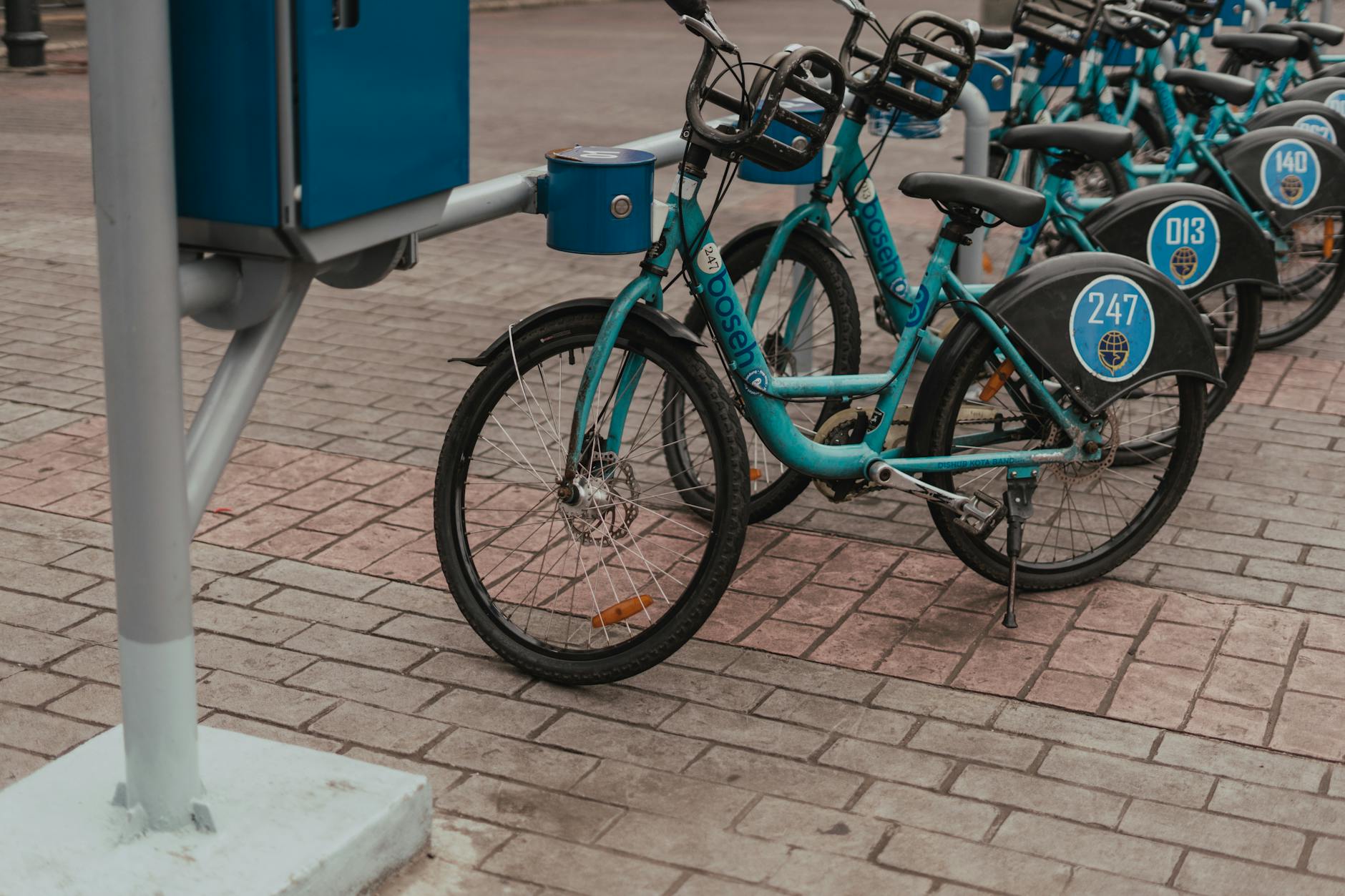
Potvrďte dátum svojho cyklu v sekcii Fakturácia; poplatky sa zaúčtujú k tomuto dátumu a odrážajú váš plán, doplnky a používanie.
- Možnosti fakturačného cyklu: štyri štandardné cykly - mesačný, štvrťročný, polročný a ročný. Predvolená hodnota je mesačný, ale môžete prejsť na iný cyklus v nastaveniach fakturácie. Niektoré účty s predplatenými ročnými plánmi zobrazujú jednu paušálnu sumu a dátum obnovenia zosúladený s dobou trvania zmluvy.
- Čo spúšťa poplatky: splatná suma sa rovná správnej kombinácii základnej ceny, vybraných doplnkov a poplatkov na základe používania (ak sú povolené). Dane a regionálne poplatky sa uplatňujú tam, kde je to povolené. Tieto údaje sa zobrazujú ako rozpis položiek na faktúre, zvyčajne prístupný zo stránky Fakturácia a centra Správy.
- Pomerové rozdelenie a zmeny v strede cyklu: ak inovujete, znížite úroveň alebo pridáte služby v strede cyklu, poplatky sa vypočítajú za zostávajúce dni v aktuálnom cykle. Vo väčšine prípadov uvidíte čiastočnú úpravu (menej ako celú novú sadzbu) na nasledujúcej faktúre, čím sa čistý rozdiel vráti späť do vášho zostatku. Je to navrhnuté tak, aby bolo spravodlivé pri vykonávaní zmien popoludní alebo kedykoľvek.
- Kedy sa poplatky zaúčtujú a ako ich uvidíte: systém zaúčtuje celkovú sumu v dátume cyklu. Suma je viditeľná na faktúre a dostanete aj upozornenie. Historické poplatky si môžete skontrolovať výberom možnosti „Faktúry" v ponuke na pravej strane a v prípade potreby si stiahnuť kópiu vo formáte PDF.
Ako sa poplatky vypočítavajú v praxi
- Základná cena plánu: pevná suma, ktorú platíte za prístup k základným funkciám v každom cykle.
- Doplnky: voliteľné funkcie alebo balíčky obsahu, ktoré ste povolili - pridávajú sa k základnej cene a zobrazujú sa ako samostatné položky.
- Poplatky za používanie: ak váš plán zahŕňa limity na základe používania (napríklad dáta, miesta alebo minúty), prekročenia sa vypočítajú na jednotku a pripočítajú sa k celkovej sume.
- Dane a regionálne poplatky: líšia sa podľa lokality (krymská oblasť môže vykazovať odlišné daňové zaobchádzanie) a pripočítavajú sa k medzisúčtu.
- Kredity a propagačné akcie: propagačné kredity alebo schválené zľavy znižujú konečnú sumu; skontrolujte zostatok a uplatnite kredity, ak máte nárok.
- Pomerové rozdelenie: ako už bolo uvedené, zmeny v strede cyklu upravujú iba tú časť cyklu, ktorá je ešte pred nami, nie celé nadchádzajúce obdobie.
Ako spravovať a znižovať poplatky
- Skontrolujte svoje používanie a vypnite alebo odstráňte nepoužívané doplnky; tieto malé zmeny môžu znížiť mesačnú sumu o citeľnú maržu.
- Vyberte si ročný plán, kde je k dispozícii, aby ste získali silnejšie úspory v porovnaní s mesačným plánom, čím sa zvyčajne zníži efektívna sadzba.
- Zaregistrujte preferovaný spôsob platby v časti Fakturácia > Spôsoby platby, aby ste zabezpečili včasné spracovanie; tým sa zabezpečí plynulý prístup do zázemia a zníži sa riziko neúspešných platieb.
- Nastavte si upozornenia na výdavky a pravidelne kontrolujte spotrebu obsahu; použite tieto ovládacie prvky, aby ste zostali v rámci pohodlného rozpočtu a vyhli sa drahým prekročeniam.
- Použite ponuku na pravej strane na rýchlu kontrolu faktúr a skontrolujte svoje správy, či neobsahujú fakturačné upozornenia alebo aktualizácie od tímu.
Kľúčové tipy pre prehľadnosť a kontrolu
- Vždy si overte dátum cyklu vo svojom účte; toto je kotva pre to, kedy dôjde k poplatkom.
- Skontrolujte „štyri" hlavné komponenty na každej faktúre: základnú cenu, doplnky, používanie a dane, aby ste pochopili konečnú sumu.
- Či už aktualizujete plány alebo pridávate funkcie, očakávajte transparentnú pomernú úpravu namiesto paušálnej sumy za celý cyklus.
- Pravidelne pristupujte do sekcie fakturácie, aby ste sa uistili, že vaše kontaktné a platobné údaje sú aktuálne; pomôže vám to vyhnúť sa neočakávaným poplatkom.
Ako aktualizovať fakturačné údaje alebo inovovať/znížiť úroveň môjho plánu
Aktualizujte svoje fakturačné údaje teraz, aby ste predišli prerušeniu pre všetkých. Prihláste sa do svojho účtu a prejdite do centra Fakturácia, aby ste si overili aktuálny spôsob platby, adresu a dátum nasledujúceho obnovenia; malo by to trvať dve minúty a zabezpečí to prístup v reálnom čase a spoľahlivosť.
Podporované spôsoby zahŕňajú kreditné a debetné karty, PayPal a miestne bankové prevody, kde sú k dispozícii. Pre používateľsky príjemný zážitok sa uistite, že meno a adresa na karte sa zhodujú so záznamami vydavateľa. Po aktualizácii uložte zmeny a spoľahnite sa na súbory cookie, aby ste zachovali kontinuitu relácie počas kontroly podrobností.
Ak chcete inovovať alebo znížiť úroveň, vyberte štvrtú úroveň, ktorá vyhovuje vášmu používaniu. Porovnajte mesačnú cenu, zahrnuté miesta alebo prístup a funkcie medzi úrovňami a použite postup, ktorý minimalizuje problémy. K svojmu balíku si môžete pridať voliteľné príslušenstvo, ak to plán podporuje, ale preštudujte si vplyv na váš účet počas celého cyklu.
Zmeny v strede cyklu sa pomerne rozdeľujú: bude vám účtovaný poplatok za zostávajúce dni vášho aktuálneho cyklu a rozdiel sa prejaví na nasledujúcej faktúre. Tento prístup udržuje poplatky spravodlivé pre všetkých, aj keď prejdete na dlhší záväzok.
Situačné kontroly pomáhajú predchádzať výpadkom služieb: ak je platba zamietnutá alebo je karta ukradnutá, okamžite aktualizujte spôsob platby. Ak sa chcete vyhnúť náporu neúspešných platieb, povoľte upozornenia a denne monitorujte účet. Ak sa objavia podvody, postupujte podľa pokynov od vedúceho fakturácie a v prípade potreby to nahláste polícii alebo príslušným vládnym orgánom. V niektorých prípadoch môžu mať Rusi alebo iní odlišné daňové zaobchádzanie, preto si overte podrobnosti v centre pre váš región.
Rýchla štúdia fakturačného správania ukazuje, že aktualizácie sa zvyčajne uplatnia do 24 až 48 hodín; hoci väčšina zmien je viditeľná skôr, počas víkendov alebo sviatkov môže dôjsť k oneskoreniam. Ak potrebujete urgentné zmeny, kontaktujte podporu s podrobnosťami uvedenými nižšie.
Keď kontaktujete podporu, uveďte podrobnosti: názov plánu, aktuálnu cenu, požadovaný plán, spôsob platby a posledné štyri číslice. Napríklad zákazník menom Mityaev prešiel z normálnej úrovne na vyššiu a zmena sa prejavila okamžite. Účty Kumov nasledovali podobnú cestu po overení centrom.
Zabezpečenie: po aktualizáciách sa odhláste zo zdieľaných zariadení a vymažte súbory cookie, aby ste predišli neúmyselnému prístupu. Toto je štandardný postup pre každého, kto spracúva fakturačné údaje.
Ak máte otázky nad rámec týchto krokov, prečítajte si články pomoci centra a kontaktujte podporu. Proces je jednoduchý a mal by byť dokončený bezodkladne, aby sa zabezpečila normálna kontinuita služby.
Aké sú vaše zásady vrátenia peňazí, kredity a podmienky zrušenia
Odporúčanie: Zrušte registráciu najmenej 24 hodín pred začiatkom, aby ste získali plnú náhradu na pôvodný spôsob platby mínus spracovateľský poplatok 2 USD. Ak zrušíte registráciu do 24 hodín, získate kredity rovnajúce sa 50 % zaplatenej sumy (okrem nákladov na spracovanie), ktoré je možné použiť na budúce registrácie na bikesharing, jazdy metrom, parkovanie alebo súvisiace služby. Kredity sú platné 12 mesiacov od vydania.
Mechanika vrátenia peňazí: Vrátenie peňazí sa uskutočňuje rovnakým spôsobom, aký bol použitý na platbu. Náklady na spracovanie sú nevratné. V závislosti od vašej banky môže trvať 5-7 pracovných dní, kým sa vrátenie peňazí zobrazí na vašom účte. Chvíľu trvá, kým sa to prejaví na vašom zostatku, ale môžete sledovať panel aktualizácií, kde nájdete zmeny stavu.
Používanie kreditov: Kredity je možné uplatniť na akúkoľvek oprávnenú rezerváciu, vrátane ciest metrom, výletov na bikesharingu alebo parkovacích relácií. Nepokrývajú dane a poplatky nad rámec pôvodnej ceny. Svoj zostatok si môžete pozrieť na paneli účtu; podobne ako hodinky sleduje hodnotu a čas a môžete s ním byť flexibilnejší. Na budúce registrácie je možné minúť iba kredity, ktoré ste už získali.
Zrušenie z našej strany: Ak zrušíme rezerváciu z dôvodu údržby alebo bezpečnostných opatrení, môžete si vybrať plnú náhradu alebo kredit za celkovú zaplatenú sumu. Upozorníme vás prostredníctvom dispečera a na paneli a prostriedky sa okamžite zobrazia. V opačnej situácii, ako je náhle zaseknutie, máte stále možnosti zrušiť plány a uplatniť kredity na neskoršie okno; pomôže vám to vyhnúť sa dodatočným nákladom a udržať vaše cesty efektívne.
Ako zrušiť: Vo svojom profile v časti registrácie vyberte možnosť Zrušiť; môžete tiež kontaktovať podporu pre pomoc. Zrušenia musia byť dokončené pred 24-hodinovým oknom, aby sa predišlo štandardnému pravidlu pre kredity; po tomto okne platia kredity podľa zásad. Ak ste v blízkosti brán alebo miesta vyloženia, skontrolujte koleso, klipy a možnosti parkovania, aby ste minimalizovali čas a náklady, a zvážte rýchlu správu dispečerom pre alternatívy; môžete tiež sledovať aktualizácie na paneli.
Poznámky a príklady: Naše ustanovenia sú navrhnuté priekopníkmi, aby udržali náklady predvídateľné. bolshoi prehľadnosť vám pomôže vedieť, čo získate. Udržiavame aktualizácie slnečné v rušnom meste, aby ste pochopili, ako zaseknutia alebo meškania ovplyvňujú čas. Ak ste si už rezervovali udalosť v štýle bolshoi alebo panel udalostí, kredity môžu pokryť registráciu na budúce cesty.